
How to migrate from Elementor to blocks without breaking your site
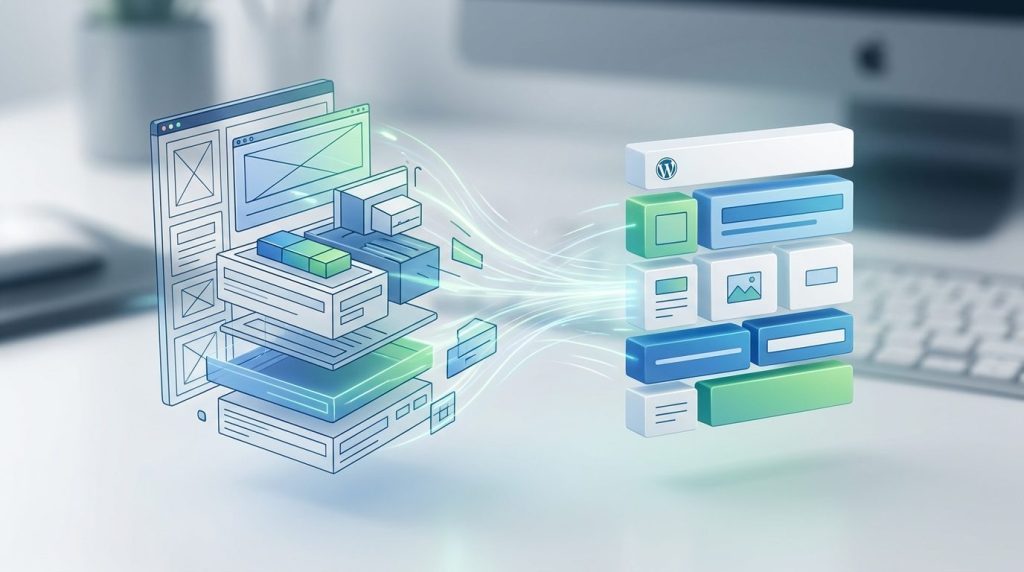
Moving a site off Elementor is a rebuild wearing the word “migration”. Knowing that up front is most of the battle.
To migrate from Elementor to blocks, rebuild page by page with Elementor still active, publish the new versions, and only then deactivate the plugin. Your text survives the switch. Your layout does not, because it was stored in Elementor rather than in the post.
We do this on client sites we take over. The order below is the one that has cost us the fewest surprises, and the warnings are the ones we wish somebody had given us the first time.
What actually transfers when you migrate from Elementor to blocks?
Your words, your images in the media library, your URLs, your SEO metadata and your posts. Not your layout, not your Elementor widgets, and not anything a third-party Elementor addon was drawing.
The reason is worth understanding before you start. Elementor stores its layout as its own data attached to the post, and puts a shortcode where the content would be. Deactivate it and WordPress finds the shortcode, does not recognise it, and prints it as text. Nothing is lost from the database. It is just no longer being rendered by anything.
How long does an Elementor to blocks migration take?
For a ten page brochure site with one contact form, one to two days of focused work. For a site with a shop, memberships or a dozen addons, budget a week and expect to find something on day four.
The page count is a poor predictor. What actually drives the time is how many jobs Elementor was quietly doing: the header, the footer, the 404 page, popups, forms and their stored entries. A site where Elementor only built pages is fast. A site using Elementor Theme Builder for the whole chrome is a different project.
The migration order that avoids most of the pain
Rebuild alongside, never underneath. Elementor stays active and keeps the live site up while you work, and you switch over one page at a time.
- Back up files and database, and download the copy. A backup on the same server is not a backup. WordPress documents what a complete backup includes.
- Inventory what Elementor owns. Templates, Theme Builder parts, popups, forms and which addons are installed. This list is your real scope.
- Export your form entries before anything else. Elementor Forms submissions live in its own storage, and this is the one genuinely unrecoverable thing.
- Rebuild the header and footer in the new theme first, so every page you rebuild afterwards already sits in the right chrome.
- Rebuild the pages that earn money. Home, main service page, contact. Save as drafts next to the originals.
- Publish the rebuilt page, keep the old one as a draft. Same URL, so nothing changes for search engines.
- Work through the rest, checking each against the live original as you go.
- Deactivate Elementor. Do not delete it. Leave it inactive for two weeks and watch the forms.
Step three is the one people skip, and it is the only step on this list that cannot be undone.
Rebuilding a whole client roster rather than one site? Tell us the scope and we will give you an honest estimate, including whether it is worth doing at all.
What breaks on day one, and what does not
Nothing breaks while Elementor is active. That is the point of rebuilding alongside. The breakages arrive at deactivation, and they are predictable.
| Item | What happens on deactivation |
|---|---|
| Pages you rebuilt | Unaffected. They were never Elementor pages. |
| Pages you did not | Text remains, layout gone, shortcode visible. |
| Header and footer (Theme Builder) | Fall back to the theme’s own. Rebuild these first. |
| Elementor Forms | Stop working. Past entries need exporting beforehand. |
| Popups | Gone. Usually nobody misses them. |
| Media library images | Untouched. They are WordPress attachments. |
| URLs and SEO metadata | Untouched, as long as you keep the same slugs. |
Is there a converter that does this automatically?
Not one we would trust on a site that matters. Tools exist that turn Elementor sections into blocks, and they get simple pages roughly right while producing something you would not have built by hand.
The problem is that the output is usually a nest of group and column blocks approximating the old design, rather than clean sections. You end up maintaining a machine translation. For a five page site, rebuilding by hand is faster than fixing a conversion, and you get to drop the three sections nobody has looked at since 2021. That is the underrated part of any migration: it is the only time you get to delete things.
Will migrating hurt my search rankings?
Not if the URLs, headings and copy stay the same. Rankings follow content and links, and a rebuild that preserves both is close to invisible to search engines.
Where sites do lose ground is when a rebuild becomes a redesign halfway through. New URLs without redirects, a shorter homepage, an H1 someone decided to improve. Keep the migration and the redesign as two separate projects, and do the boring one first. If you want to change the copy, ship the like-for-like rebuild, wait a fortnight, then change it.
Frequently asked questions
Can I keep Elementor on some pages and use blocks on others?
Yes, and during a migration you have to. The two coexist without conflict. Just remember that while any page needs Elementor, the plugin stays installed, so you keep the dependency until the last page is done.
What happens to my Elementor form entries?
They are stored by the plugin, so export them to CSV before deactivating. This is the single most common thing people lose in a migration, and unlike layout it cannot be rebuilt from what is left.
Do I need to change my URLs?
No, and you should not. Rebuild into the same posts and pages so the slugs never change. If you do change one, add a 301 redirect from the old path the same day.
Will my site get faster?
Lighter, usually, since Elementor’s CSS and JavaScript stop loading. How much you notice depends on the rest of your plugins, which are often the bigger share. Treat it as a saving rather than a fix.
Can I go back if it goes wrong?
Yes, provided you deactivated rather than deleted, and kept the old pages as drafts. Reactivating restores the original rendering. This is why the order in this guide never deletes anything.
Is it worth migrating a site that works fine?
Often not. If the site is stable, the licence is paid and the person editing it is happy, leave it alone. Migrate when the renewal stops making sense, when a client needs to edit it themselves, or when you are redesigning anyway.
Which blocks replace Elementor’s widgets?
Core WordPress blocks cover text, images, columns and buttons. Section level things like pricing tables, FAQ accordions and testimonials come from the theme. Ours ships 43 of them, all rendering on the server, which is what keeps the result portable. See the block editor handbook for how core blocks are structured.
The short version
Migrate from Elementor to blocks by rebuilding alongside rather than switching underneath. Export your form entries, rebuild the chrome first, move the money pages next, and deactivate last. Keep the URLs. Resist redesigning while you are in there.
Our switching notes for leaving Elementor cover what you give up honestly, and page builder lock-in explains why the exit costs what it does. If you would rather not do it yourself, we do this for a living.